
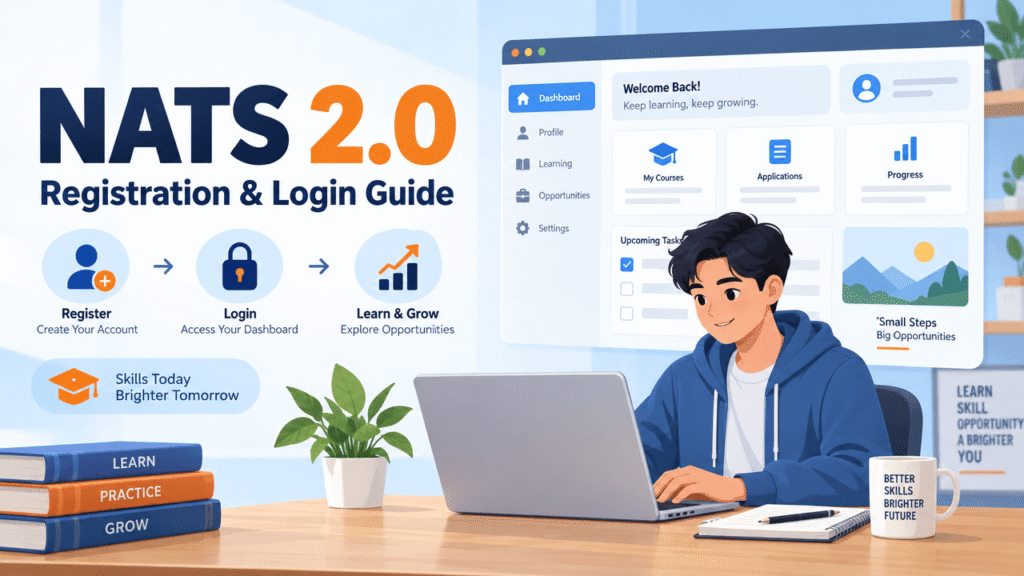
If you have finished a degree or diploma and want to gain practical experience, you may have heard about NATS 2.0. Many students search for its registration page but are not sure what to do after opening the portal. Some are worried about documents, while others get stuck at email verification or profile details.
This guide explains the NATS 2.0 portal in simple English. It covers registration, login, documents, profile steps, apprenticeships and common problems. Read the instructions on the official portal carefully because individual screens and requirements can change.
What Is NATS 2.0?
NATS stands for National Apprenticeship Training Scheme. It helps eligible students and graduates explore apprenticeship training opportunities with participating organisations. An apprenticeship lets a person learn practical workplace skills while gaining experience.
NATS 2.0 is the online system used to manage different steps of this process. Students can register, complete their profile and apply for available opportunities. Employers and implementing bodies use the portal for related work.
Registration is not the same as getting a job. Completing a profile does not guarantee an apprenticeship or permanent employment. Each opportunity may have its own conditions and selection process.
Who Can Use the Portal?
The student registration system covers eligible pass-outs from several education groups, such as engineering and technology graduates, general graduates, vocational graduates, and diploma holders. Exact eligibility depends on current scheme rules and the apprenticeship you want.
Before applying, check whether your qualification, passing year and training history meet the requirements. Do not assume that every degree or diploma automatically makes you eligible for every opening.
Documents to Keep Ready
The registration page asks students to prepare several documents before beginning.
| Document or Detail | Why It Is Needed |
|---|---|
| Aadhaar card | Identity details and verification |
| Personal email address | Account activation and communication |
| Mobile number | OTP and updates |
| Recent passport-size photograph | Student profile |
| Qualifying degree or provisional certificate | Education verification |
| Bank account details linked with Aadhaar | Payment-related verification where applicable |
| First page of bank passbook or bank statement | Bank detail confirmation |
| College or university details | Education history |
The portal’s registration checklist specifies a JPEG photograph under 1 MB and PDF documents under 1 MB for certain uploads. File rules can change, so check the on-screen requirements when uploading.
Make sure your name and other details match your documents. Small typing errors can lead to problems later.
How to Register on NATS 2.0
Step 1: Open the Official Student Registration Page
Start from the official National Apprenticeship Training Scheme portal. Find the student registration or enrolment option. Avoid unknown websites that ask for money simply to open a registration form.
Step 2: Read the Document Checklist
The registration system may first ask whether you have all required files and details ready. Keep them in a folder on your device before proceeding. This prevents the form from timing out while you search for a certificate.
Step 3: Enter Your Email and Mobile Number
Use an email address you can open easily. It may become your login username. Enter your active mobile number and follow the OTP verification steps shown on the page.
Do not share an OTP or password with people offering to complete your application for a fee.
Step 4: Add Personal Details
Enter your name, date of birth and other required details carefully. Check spelling against your Aadhaar card and academic records. Read each field before moving forward.
Step 5: Fill Your Education Details
You may need to choose the qualification category, course, institution, specialisation, passing year, marks and other education details.
Use the percentage conversion formula required by your university if your marks are in CGPA. Do not guess the percentage.
Step 6: Upload Files
Upload the required photograph and certificates in the requested format. If a document is rejected, check its file type, size and clarity before trying again.
Step 7: Finish Your Profile
After registration, log in and complete the remaining personal, education, communication and training-preference fields requested by the portal. Review the completed profile before submitting.
Keep a note of your enrolment or registration reference if the portal provides one.
How to Log In to NATS 2.0
Once you have created your account, open the student login page on the official portal.
Enter the email address or username associated with your account and your password. Complete any verification shown on the page. If an account activation step remains unfinished, check your email first.
After signing in, inspect your profile. A profile with missing information may not be ready for an application.
How to Find Apprenticeship Opportunities
When your profile is complete and you are eligible, look for apprenticeship advertisements or openings available through the portal. Read every advertisement carefully.
Check the required education, location, training field and other conditions. Some roles may accept graduates from a particular discipline, while others are meant for diploma holders. Apply only when you meet the stated conditions.
Save details of each application you submit. You may need them later to follow up on an opportunity.
Common NATS 2.0 Problems and Possible Fixes
Email OTP Not Arriving
Check the email address for typing errors and look in spam or junk folders. Wait for the permitted interval before using the resend option. Avoid repeatedly creating new accounts.
Mobile OTP Problems
Check your network connection and confirm that the phone number is correct. If the portal has a resend option, use it after the stated waiting period.
Photograph or Certificate Upload Failed
Look at the allowed format and file-size limit. A PDF cannot always be replaced with a screenshot, and a photo may need to be saved as JPEG.
College Name Missing
The institution list may not show every name in an obvious way. Check the spelling and location you selected. If the portal says to contact support when an institution is missing, use its official support channel.
Forgot Password
Use the account recovery or password reset option provided by the portal. Never give your password to an unknown person claiming to offer quick registration.
Application Is Not Moving Forward
Remember that enrolment and selection are different steps. Check the advertisement and any messages in your account. Avoid treating an incomplete status as proof of selection or rejection.
Tips to Keep Your Student Account Safe
Create a strong password that you do not reuse on other websites. Keep your registered mobile number and email account active. Do not share bank details, identity documents or OTPs over public social-media messages.
Be careful with offers that promise guaranteed government jobs or paid selection. An apprenticeship application should be judged by the official rules and employer notice, not a social-media claim.
Difference Between Registration and Selection
These two terms are often confused.
Registration means you have created your student account and submitted the required profile information.
Application means you have shown interest in a particular available opportunity.
Selection depends on the applicable eligibility conditions and the organisation’s process.
A student may complete registration successfully and still need to search and apply for an appropriate apprenticeship.
Conclusion
NATS 2.0 can be useful for eligible graduates and diploma holders who want practical training. The most important things are to prepare your documents, enter accurate information, complete your profile and read each apprenticeship advertisement before applying. Use the official portal for login and verification. If something goes wrong, check the instructions on the page and contact official support rather than sharing private details with strangers.
Frequently Asked Questions
Is NATS 2.0 registration the same as getting an apprenticeship?
No. Registration creates your account. You still need to meet the requirements and follow the application and selection process for a specific opportunity.
Can diploma students register?
Eligible diploma pass-outs are among the categories shown on the student registration portal. Check the current scheme rules and the opportunity’s conditions.
What should I do if my email OTP does not arrive?
Check the entered email address, spam folder and resend instructions on the portal.
Do I need bank details during registration?
The official student checklist includes Aadhaar-linked bank account details and a supporting bank document. Follow the requirements shown on the current registration page.
Can I use an old email address?
You should use an email account you can access, because it may be needed for login, verification and important messages.
Does NATS 2.0 guarantee a permanent job?
No. Apprenticeship training and permanent employment are different. Do not assume a permanent role is promised unless the official employer notice explicitly says so.

StudentsTalk.in, is an education-focused platform dedicated to helping students stay informed about the latest academic updates, scholarships, entrance exams, career opportunities, government schemes, and study resources. With a passion for education and student success, she creates informative, easy-to-understand content.
