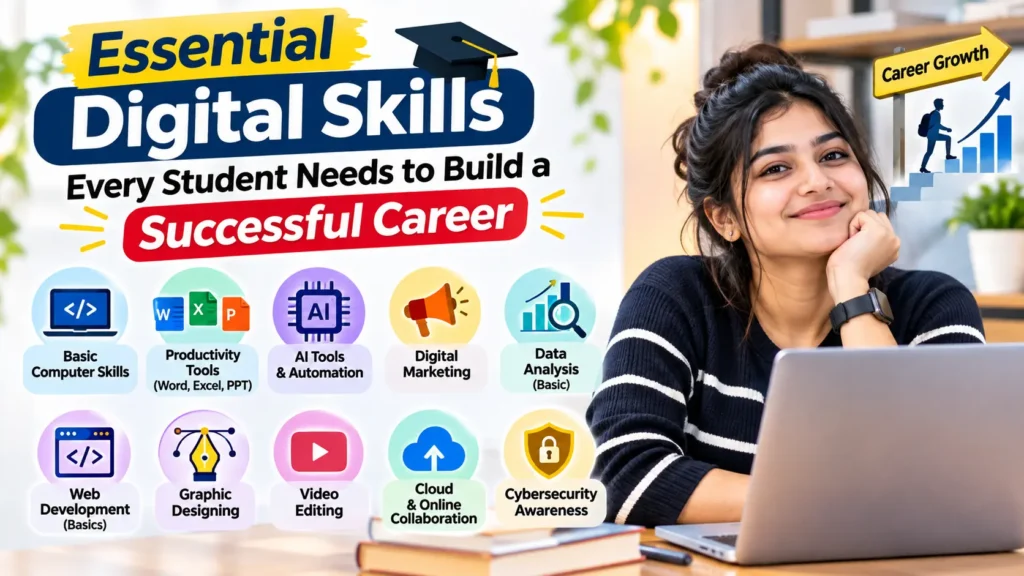
Education gives students the knowledge needed to enter a profession, but career readiness also depends on how confidently they can use technology. From preparing assignments and attending online classes to applying for jobs and working with teams, digital tools are now part of everyday academic and professional life.
Students do not need to become software developers or technology experts to keep up. They do, however, need a practical set of digital skills that helps them find reliable information, communicate clearly, protect their data and adapt to new tools. Developing these abilities while studying can make the transition from college to the workplace smoother.
1. Online research and information evaluation
The internet offers access to articles, reports, tutorials and learning resources, but not every source is accurate. Students should learn how to search effectively, compare information from different sources and identify who created the content. Checking publication dates, references and the purpose of a website can help them avoid relying on misleading or outdated material.
These skills are useful beyond academic assignments. In the workplace, employees often need to research customers, competitors, industry developments or unfamiliar topics. Knowing how to locate and evaluate information saves time and supports better decisions.
2. Digital communication and collaboration
Professional communication increasingly takes place through email, messaging platforms, video meetings and shared documents. Students should know how to write a clear email, use an appropriate subject line, attach the correct files and respond politely. They should also understand basic online meeting etiquette, such as joining on time, keeping messages relevant and respecting other participants.
Collaboration tools allow people to work on shared documents, presentations and project boards. Learning how to organise files, manage permissions, leave useful comments and track changes can make group assignments more effective. These habits also prepare students for remote and hybrid work environments.
3. Productivity and office software
Word-processing, spreadsheet and presentation tools remain useful across many careers. Students should be comfortable formatting documents, creating simple tables, organising data, using basic spreadsheet formulas and presenting information in a clear visual format.
Time-management features such as digital calendars, task lists and reminders can also help students plan study schedules and meet deadlines. The goal is not to learn every feature of every application. It is to understand the tools commonly used in a chosen field and practise using them for real tasks.
4. Cybersecurity and digital responsibility
Being digitally skilled also means knowing how to stay safe online. Students should use strong, unique passwords, enable multi-factor authentication where available and be careful with unexpected links or attachments. They should avoid sharing sensitive information on public platforms and check privacy settings on the services they use.
Digital responsibility includes respecting copyright, giving credit to original sources and communicating respectfully online. Students should also think before posting personal or professional information publicly, because online activity can affect how others perceive them.
5. Understanding artificial intelligence tools
Artificial intelligence tools can help students brainstorm, summarise complex topics, practise language skills and organise ideas. Learning to use them responsibly is becoming an important part of digital literacy. Students should write clear instructions, check generated information against reliable sources and understand that AI responses can contain errors or bias.
AI should support learning rather than replace it. Students need to follow their institution’s academic integrity rules, disclose AI assistance when required and make sure submitted work reflects their own understanding. The ability to question and verify an AI-generated answer is just as important as knowing how to use the tool.
6. Basic digital marketing and online presence
Digital marketing knowledge can be valuable even for students who do not plan to work in marketing. Understanding how websites, search engines, social media and online campaigns work helps students recognise how organisations reach customers and communicate their services.
Students interested in business, communication, media or entrepreneurship can begin with the basics of search engine optimisation, content creation, social media planning and website analytics. A structured learning option, such as a Digital Marketing Course in Coimbatore, can help learners explore these areas and understand how digital strategies are used in practice.
A professional online presence is another useful skill. Keeping a portfolio, project page or professional profile updated allows students to present their abilities, achievements and practical work to potential employers. Information should be accurate, relevant and appropriate for a professional audience.
7. Adaptability and continuous learning
Technology changes quickly, so no single tool or platform will remain the same throughout a career. Students should develop the habit of learning independently through tutorials, short courses, documentation and practical experimentation. When using a new tool, they can begin with a small task, practise its main features and apply what they learn to a project.
Adaptability also means being willing to ask questions, accept feedback and learn from mistakes. Employers value people who can approach unfamiliar tasks thoughtfully rather than giving up when a process or application changes.
How students can build these skills while studying
The easiest way to develop digital skills is to practise them regularly. Students can create a well-formatted résumé, prepare a presentation, organise a spreadsheet for a college project or collaborate on a shared document. They can also build a small portfolio that includes writing samples, designs, research projects, presentations or other work relevant to their career interests.
It is helpful to choose one skill at a time and set a clear goal. For example, a student might spend a week improving spreadsheet basics, then practise professional email writing the following week. Applying each skill to an actual task makes learning more meaningful and provides examples to discuss during interviews.
Final thoughts
Digital skills are no longer limited to technology-related jobs. They help students study more effectively, communicate with confidence and contribute to modern workplaces. By developing research, collaboration, productivity, cybersecurity and responsible AI skills—and by continuing to learn as tools evolve—students can become more adaptable and better prepared for the opportunities ahead.
A successful career is built through a combination of subject knowledge, practical experience and the willingness to keep improving. Starting with small digital habits during college can create a strong foundation for lifelong learning.
About the Author
Harini writes about digital skills, education and practical ways students can prepare for changing career opportunities. She is interested in making digital concepts easier to understand for learners and aspiring professionals.

StudentsTalk.in, is an education-focused platform dedicated to helping students stay informed about the latest academic updates, scholarships, entrance exams, career opportunities, government schemes, and study resources. With a passion for education and student success, she creates informative, easy-to-understand content.